
BETA · WEB APP
AgentBlackBox.
The flight recorder
for AI agents.
Understand the recorded activity behind an AI agent’s work. Follow the events, review human decisions, and inspect the report.
Public demo available. Workspace access requires sign-in.
ACTIVITY. DECISIONS. CONTEXT.
A task has a story.
Make it easier to follow.
When an agent handles a task, a final answer is only part of the picture. You may also need to understand what it observed, what it requested, and which decisions a person made.
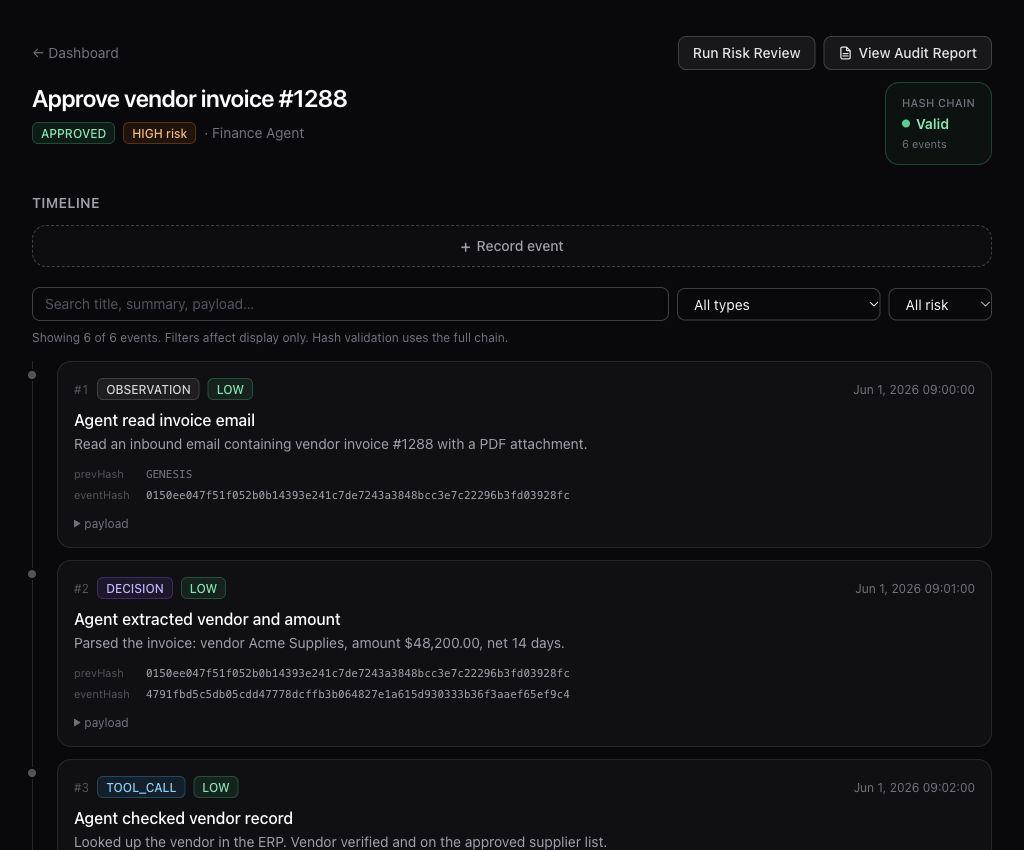
AgentBlackBox organizes recorded activity around a work unit: one task, with its events and decisions in order. The timeline and report give you a place to examine that record.
Follow the thread.
The full walkthrough ↗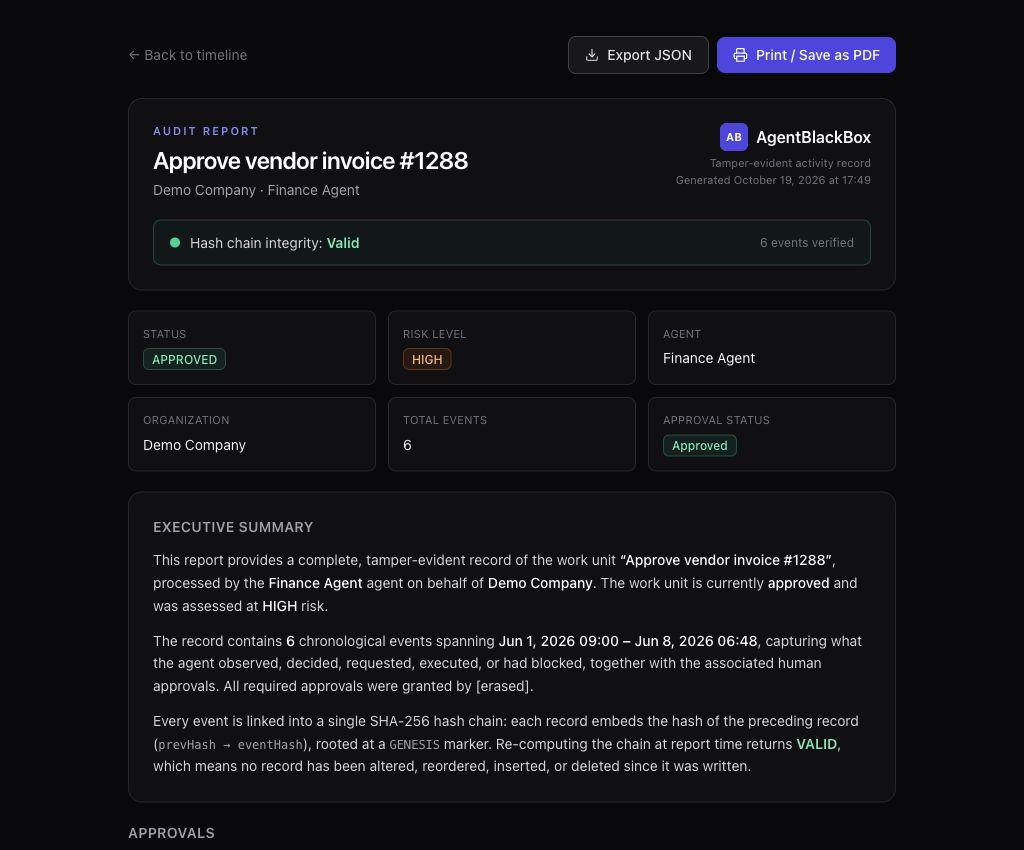
FROM DETAIL TO OVERVIEW
Read the run.
Keep the context.
A work-unit report puts the summary and event log in one view, with JSON export and Print / Save as PDF controls.
Look for the recorded outcome as well as the decision. An approval records permission; it does not, by itself, establish that an action was completed.
Understanding decisions and outcomes ↗GO A LITTLE DEEPER
Get to know AgentBlackBox.
Inside the beta.
Real interface. Demo data.A few things to know.
How do I access AgentBlackBox?
Visit agentblackbox.si to explore the public demo. Sign in for workspace access. No App Store download is required.
Is AgentBlackBox in beta?
Yes. AgentBlackBox is currently in beta. Its privacy policy and app terms are drafts pending legal review. The screenshots show an example invoice workflow in the web app.
What is a work unit?
A work unit groups the recorded events and decisions for one task an agent is handling. Its timeline lets you inspect the steps in order; its report brings the summary and event log together.
Does an approval mean the action happened?
An approval records permission. Look for a separate execution result or other outcome in the timeline to understand what happened next. A record ending at approval does not establish that the action was completed.
Are the screenshots real?
Yes. They are actual captures of the beta interface showing a demo invoice workflow, including the timeline and audit report. They do not show a real payment or a customer deployment.
Where can I get help?
Use AgentBlackBox’s support page or contact Dayfold Studio through the support form. Include what you were trying to do and what happened, without sharing passwords, API keys, or private event data.
NEXT STEPS
Explore. Review. Ask.
Open the demo, read the guides, or get help with a specific question.
Product information
Contact Dayfold StudioPrivacy Policy (draft) ↗App Terms (draft) ↗Security ↗Dayfold Studio website termsThe app’s privacy policy and terms are drafts pending legal review.