
AgentBlackBox / How it works
From a task to a traceable story.
Follow a work unit through its recorded events, a policy decision, human review, and an audit report.
Start with one task.
A work unit is the record for one task an agent is handling. It gives the related events, decisions, and approvals a shared place to live.
For example, an invoice review can be one work unit. Reading the invoice, proposing a payment, and requesting a decision are different steps within that task. The screenshots on these pages show a demo invoice, not a real payment.
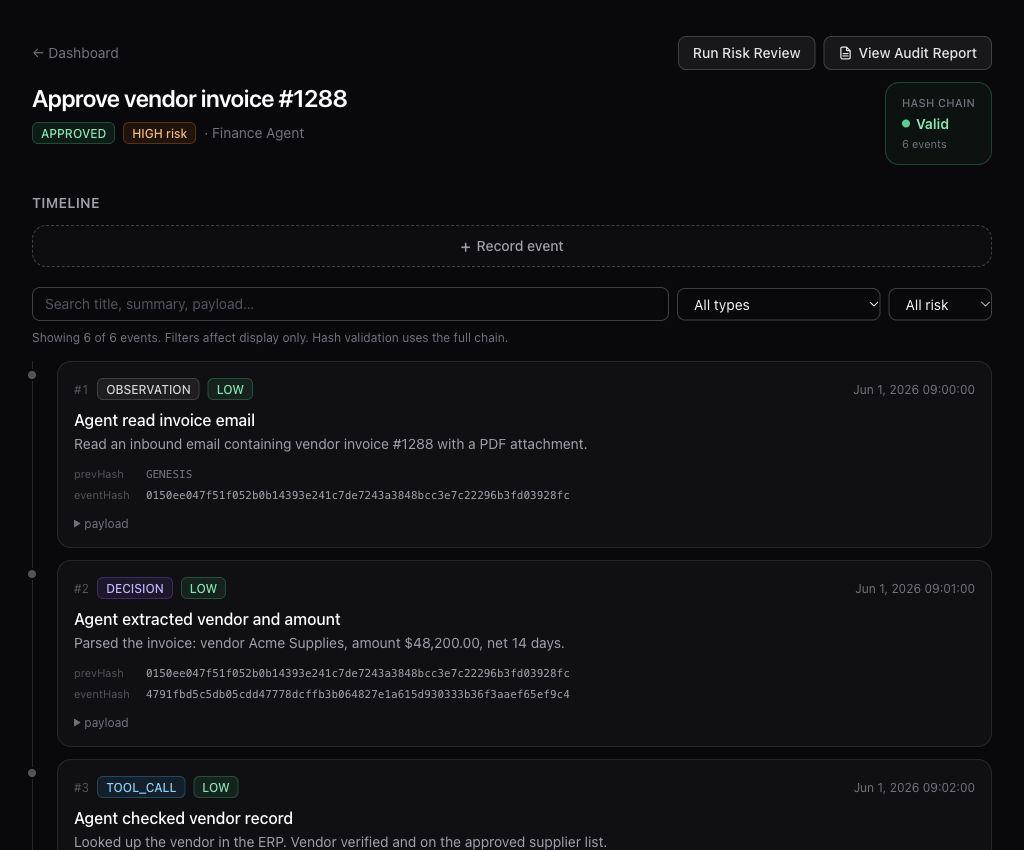
Read the events in order.
The timeline brings recorded observations, decisions, requests, and outcomes together. Search for an event, filter by type, and expand its details to inspect the associated payload.
The record depends on what is sent to AgentBlackBox. An event timeline helps you inspect captured activity; it does not automatically reveal every action an agent has ever taken.
Put a decision in context.
The policy simulation interface evaluates a proposed action and presents an outcome: allow, require approval, or block. Its purpose is to make the decision and the matching policy visible.
An approval request introduces a human decision into the record. Review the proposed action and its work-unit details before deciding whether it should proceed.
Separate permission from completion.
An approval means that permission was recorded. To understand what happened next, look for a separate execution result, failure, or blocked-action event.
If the timeline ends at approval, it does not establish that the proposed action was completed. This distinction matters when reviewing a payment, a message, or a change to another system.
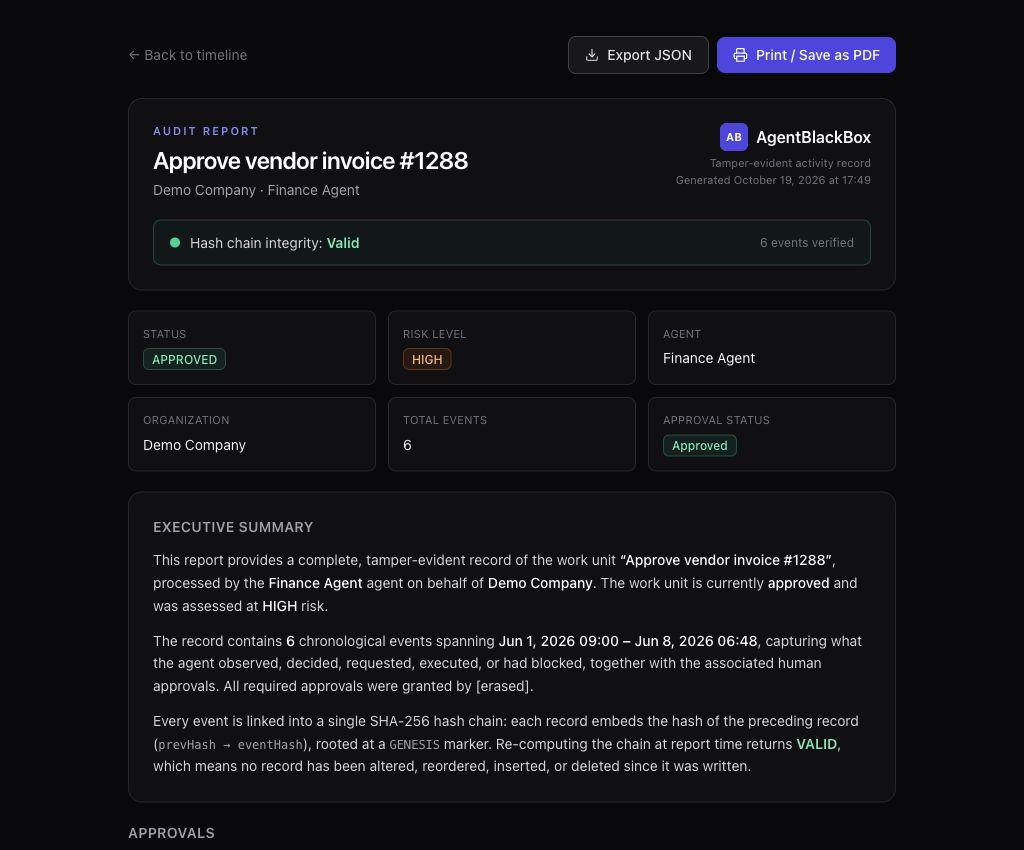
Bring the record into one report.
Open the audit report for a work unit to review its summary and event log together. The interface includes JSON export and Print / Save as PDF controls.
Use the report to discuss a run, investigate an unexpected result, or hand over the recorded context to another reviewer. Check which events are present and what remains unrecorded before drawing a conclusion.
KEEP EXPLORING
Capabilities
A closer look at the beta’s review tools, the controls described in its documentation, and what depends on configuration.