
AgentBlackBox / Rules & approvals
Decide which actions need a person
Write a rule once, observe its decisions, and choose when those decisions take effect.
Start in watch-only mode
New workspaces start by recording what a rule would decide. Use Rules → Test a rule to evaluate a sample action without adding a task event. When the results look right, choose Enforce in Settings → Protection.
Match the action to a rule
Rules can use the tool, action type, risk, amount, recipient or content. They can allow a request, block it, require review, or change or redact what is passed on. Templates provide a starting point. Rule history lets you inspect and roll back a version.
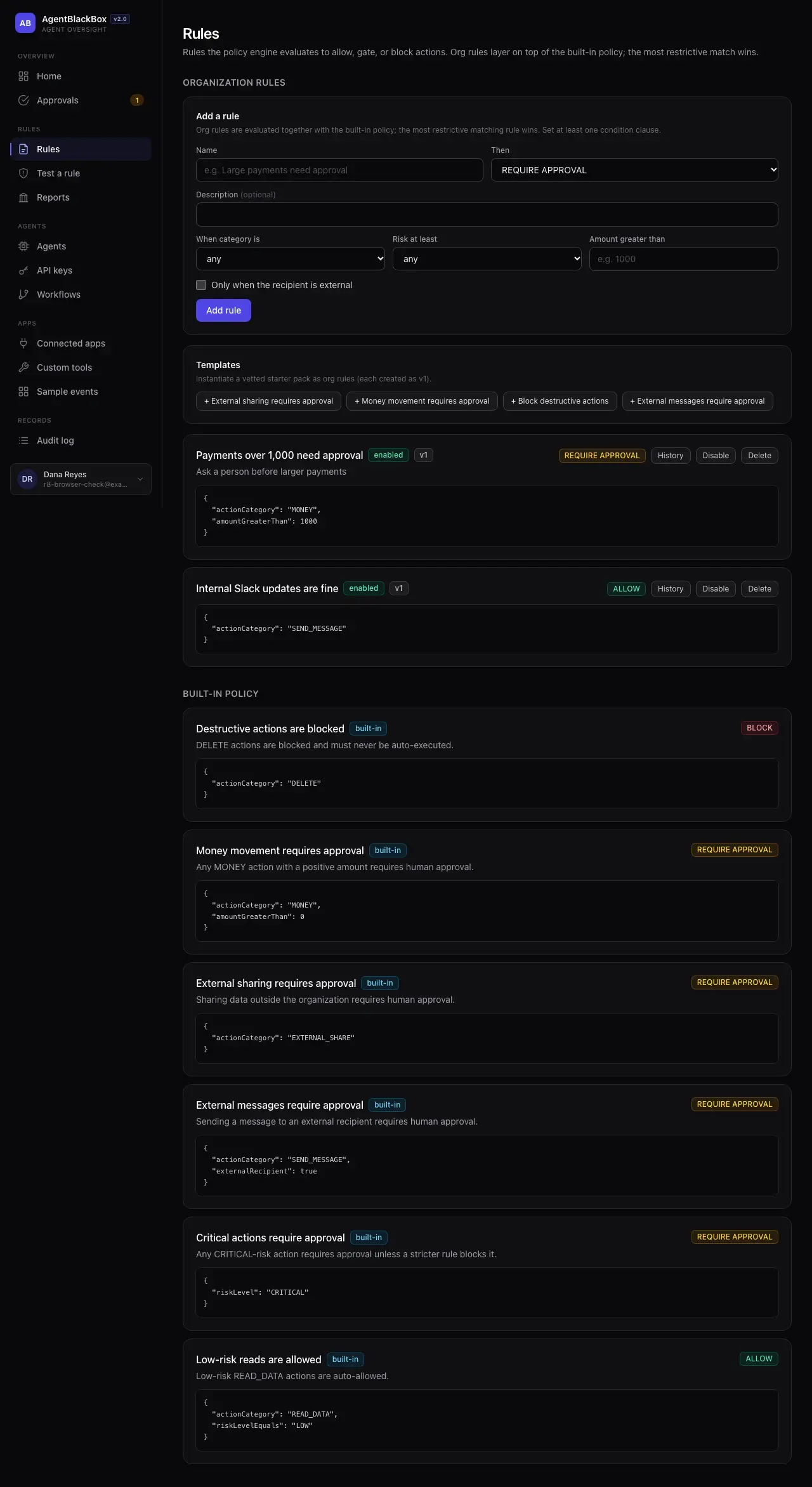
What the built-in rules check
Try a deletion, a payment or an external share in the rule tester. The built-in rules deny deletions and require review before money moves or data leaves the organization. In watch-only mode you can see those decisions before turning on enforcement.
AgentBlackBox assesses risk from the tool and task. For example, sending a message outside the organization raises its risk. An agent cannot lower that assessment by reporting a lower risk itself.
Choose who can approve
In a personal workspace, the owner re-enters their password to confirm a risky request. A team generally uses a different authorized reviewer or the assigned approver group. A single-owner team can opt in to self-approval for low-risk requests.
An undecided request expires after 72 hours. A new request is then required. An approval rechecks the action against the current rules. On-demand workflows can include a human approval step.
KEEP EXPLORING
Connected apps & tools
Route actions from connected apps and custom tools through the same workspace rules.